Claude usage tracker & account switcher for macOS

Know you're running low
before Claude Code cuts you off.

The only Claude usage monitor that keeps your tokens in the macOS Keychain — never a file, never a server. Hit your limit? Switch Claude accounts in one click — no re-login, no lost context. A tiny macOS menu bar app that predicts when your Claude Code usage will run out, tracks your 5-hour and weekly limits, and watches your Mac's CPU & memory alongside it — all at a glance.
Free for 24 hours, no card required Tokens stay in Keychain macOS 14+ · Apple Silicon & Intel

↑ actual app · full tabs below

Five tabs, one menu bar

Everything you check between prompts — without leaving your flow.

Click the menu bar icon and it's all there — Limits, Stats, System, Account, and Settings. No dashboard to open, no browser tab, no context switch.

Tab 01 — Limits

Limits at a glance

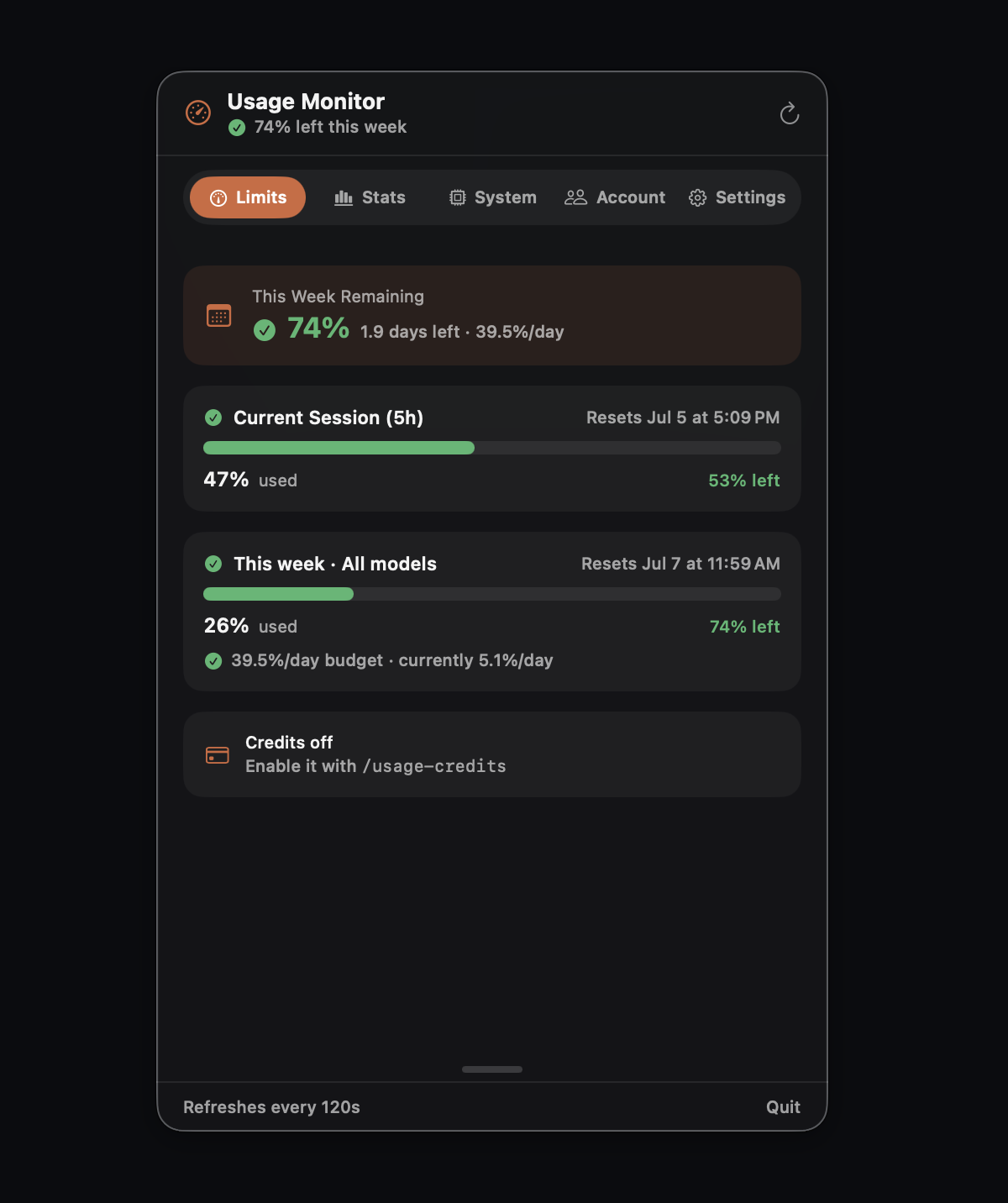
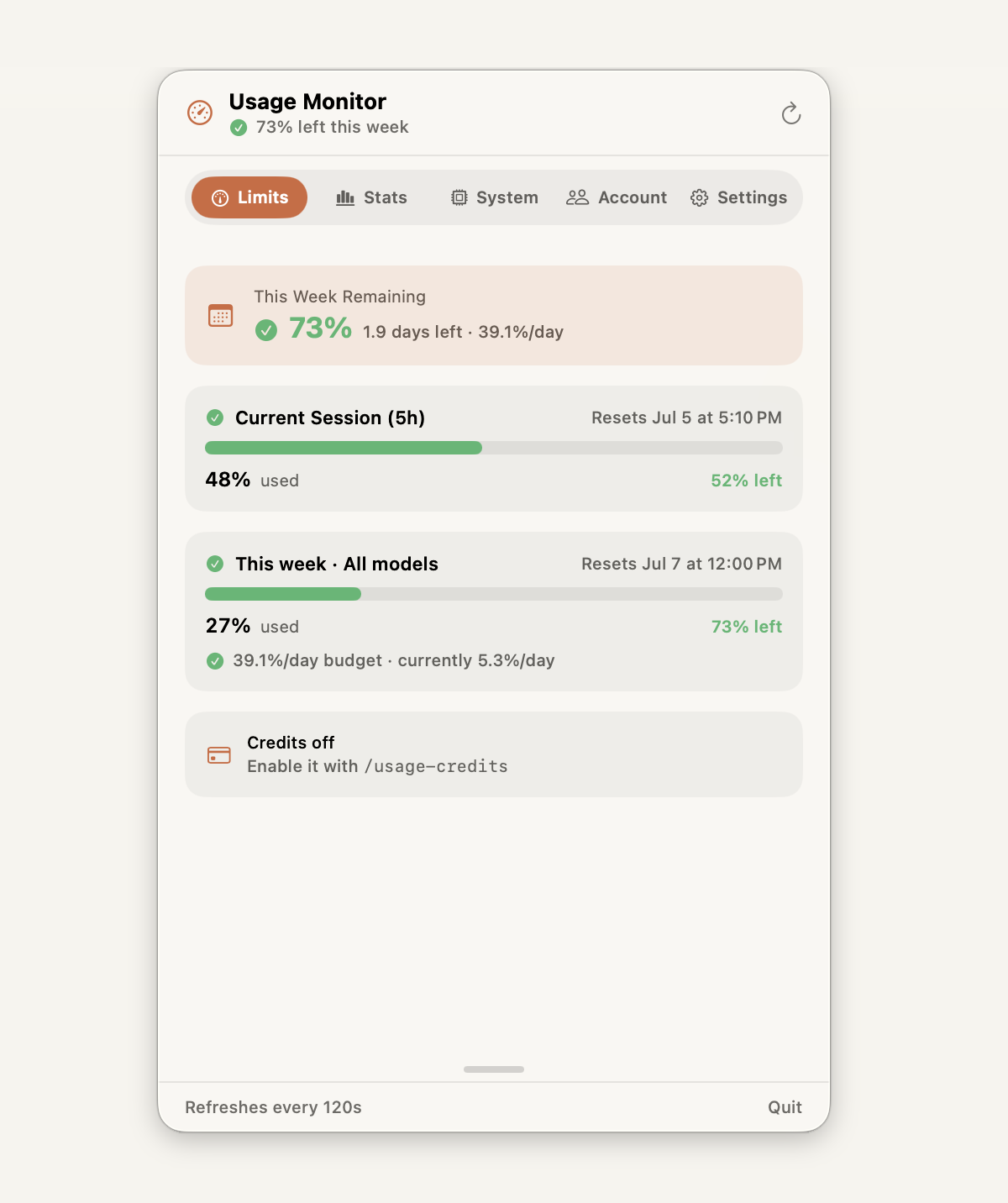
/usage-style cards for your 5-hour and weekly windows: how much is free, burn prediction, and pace warnings — read straight from the menu bar.

Tab 02 — Stats

Real usage patterns, not just a number

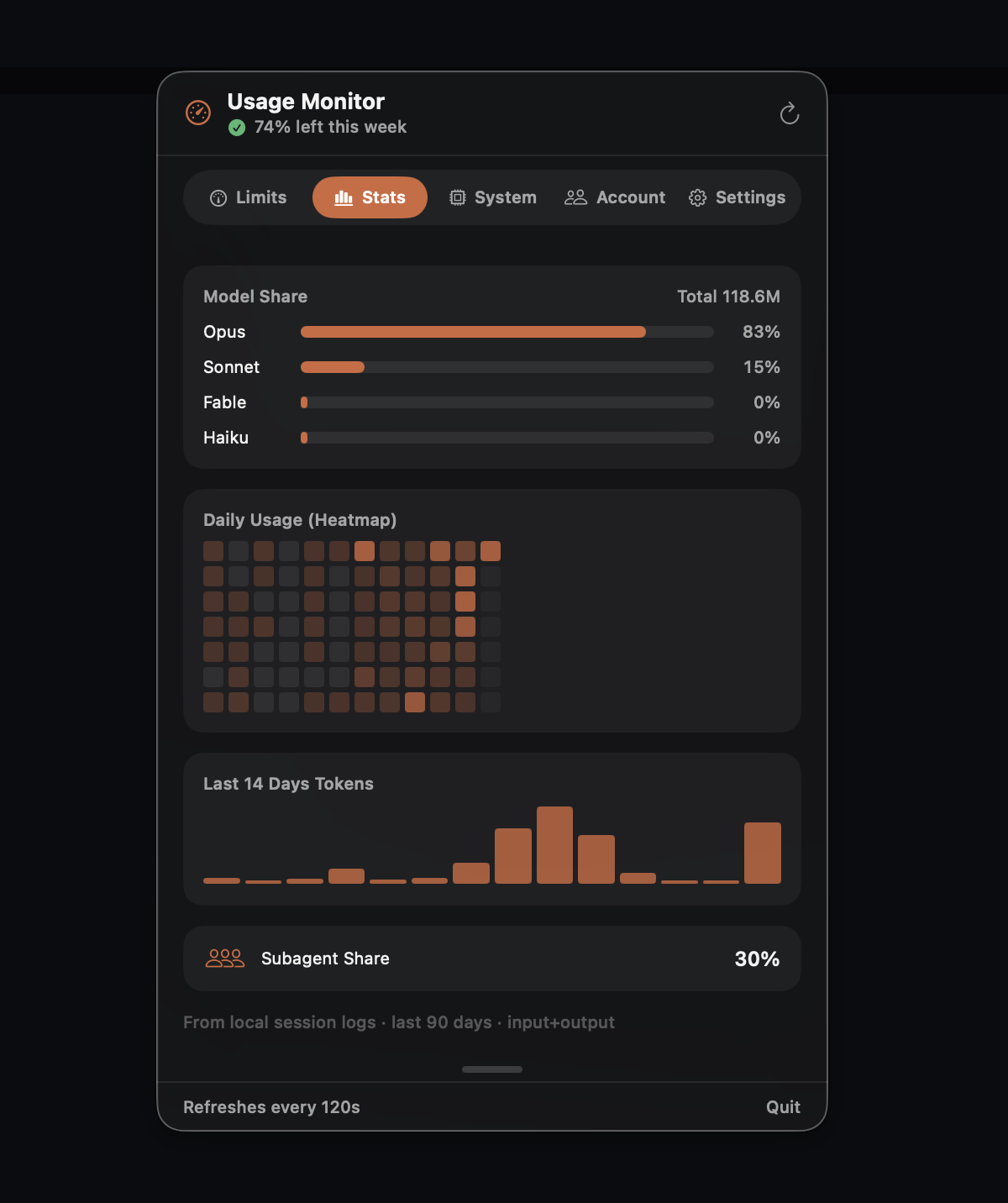
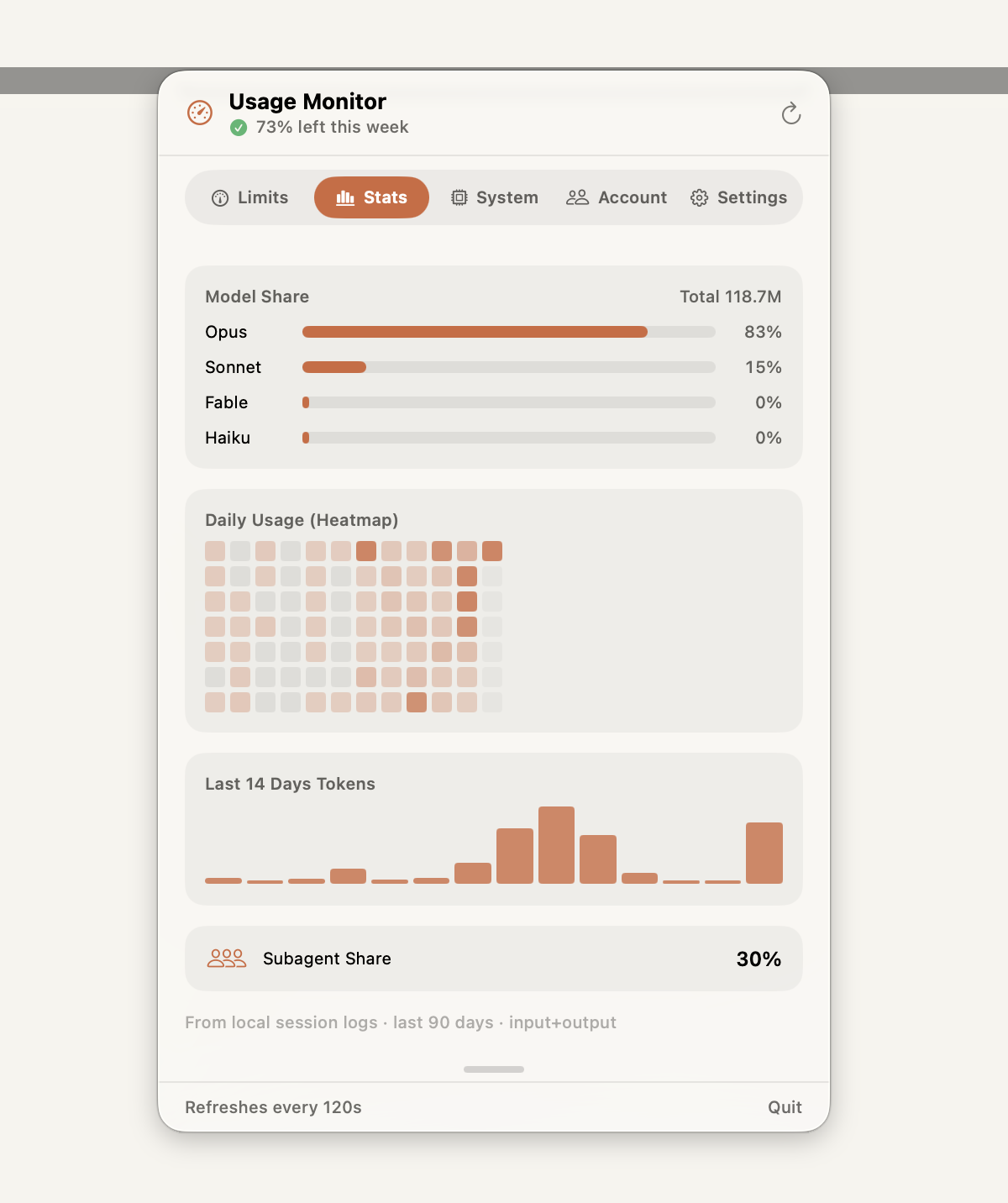
Model breakdown (see which Claude models you actually use), an activity heatmap that spots your peak coding hours, and a 14-day token trend — the insight most usage trackers never show.

Tab 03 — System

Claude usage + Mac resources, one place

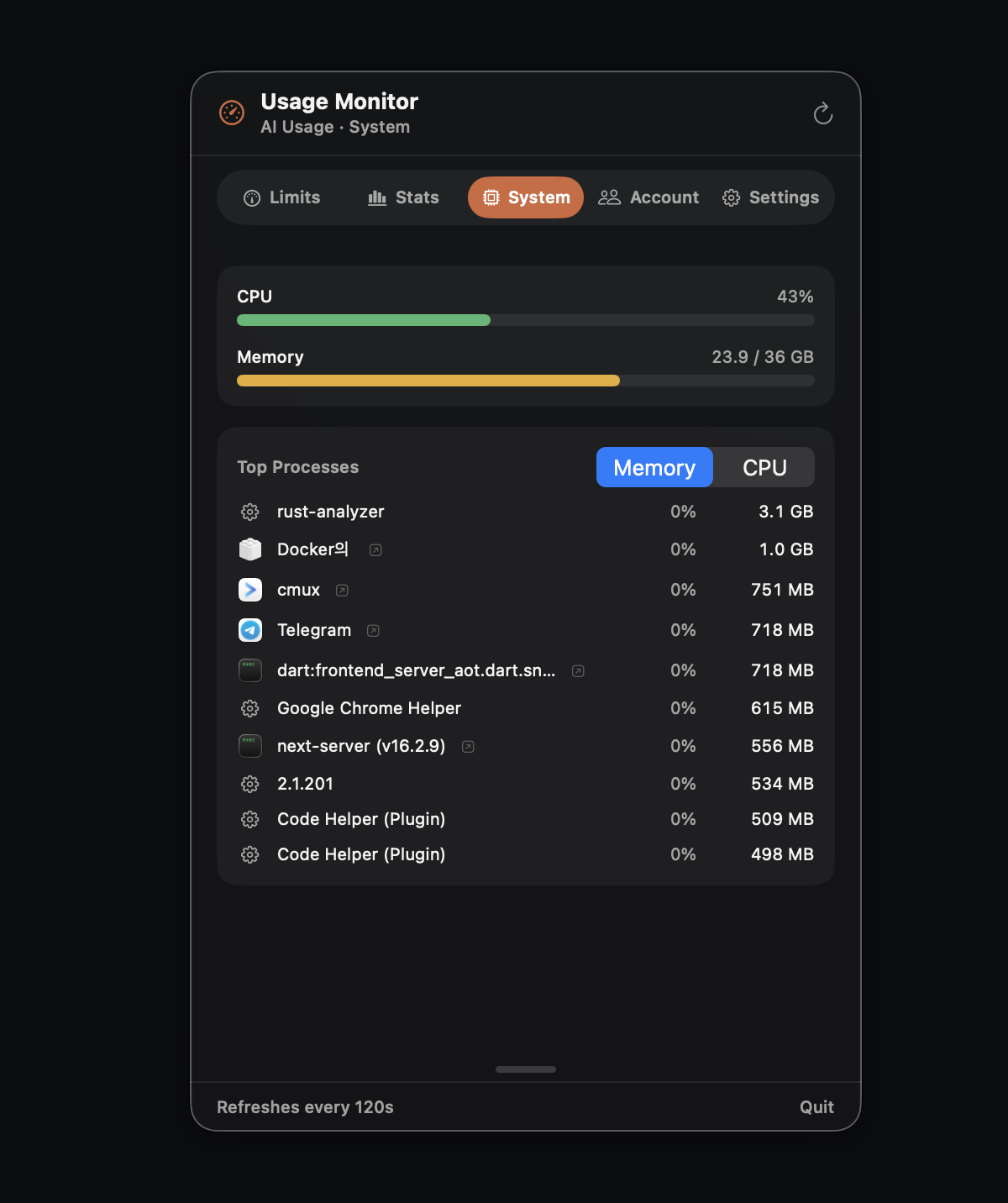
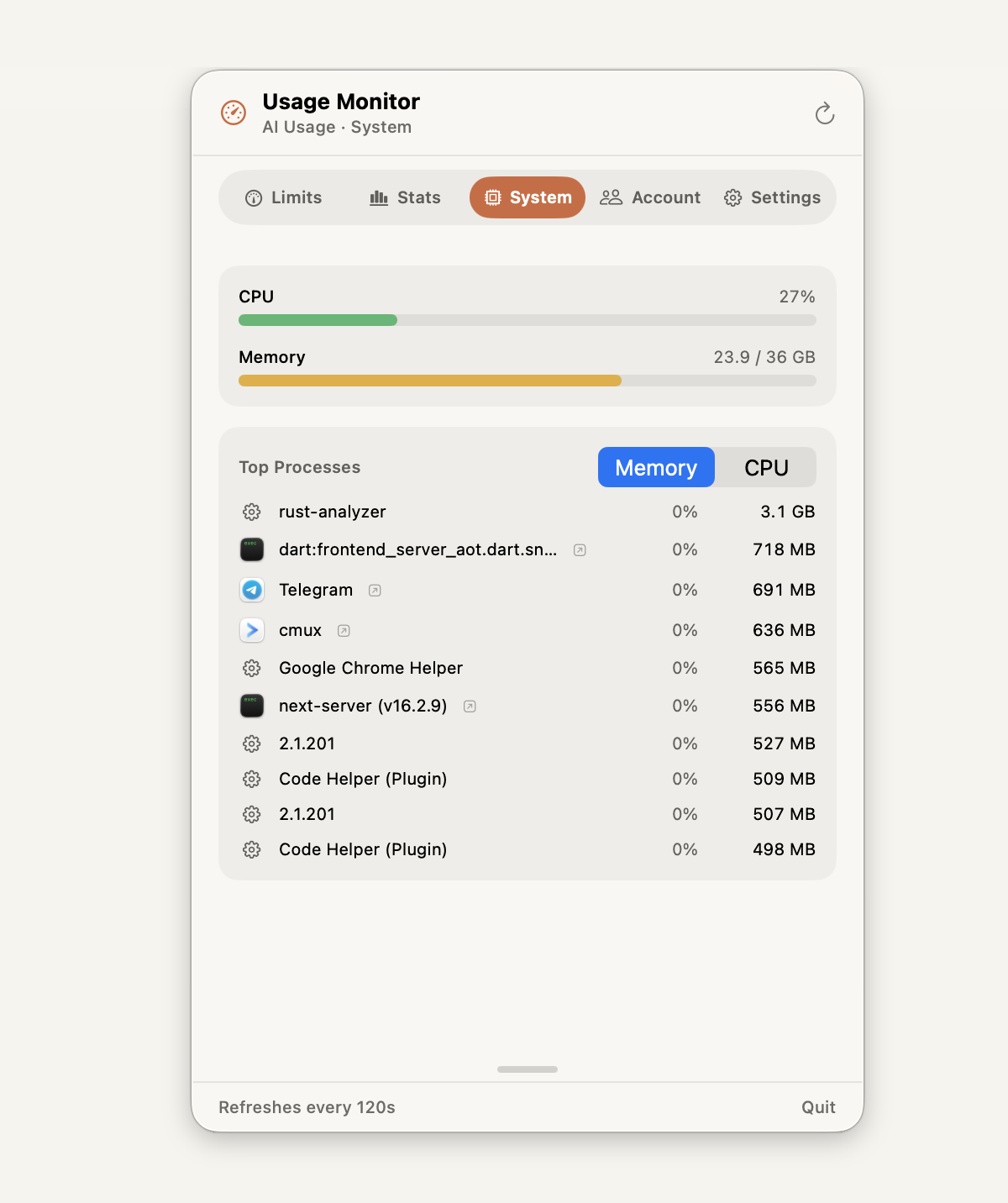
CPU, memory, and process load — right beside your Claude usage. When a heavy build or a long agent run is eating your Mac, you'll see it without switching apps.

Tab 04 — Account

One-click Claude account switcher

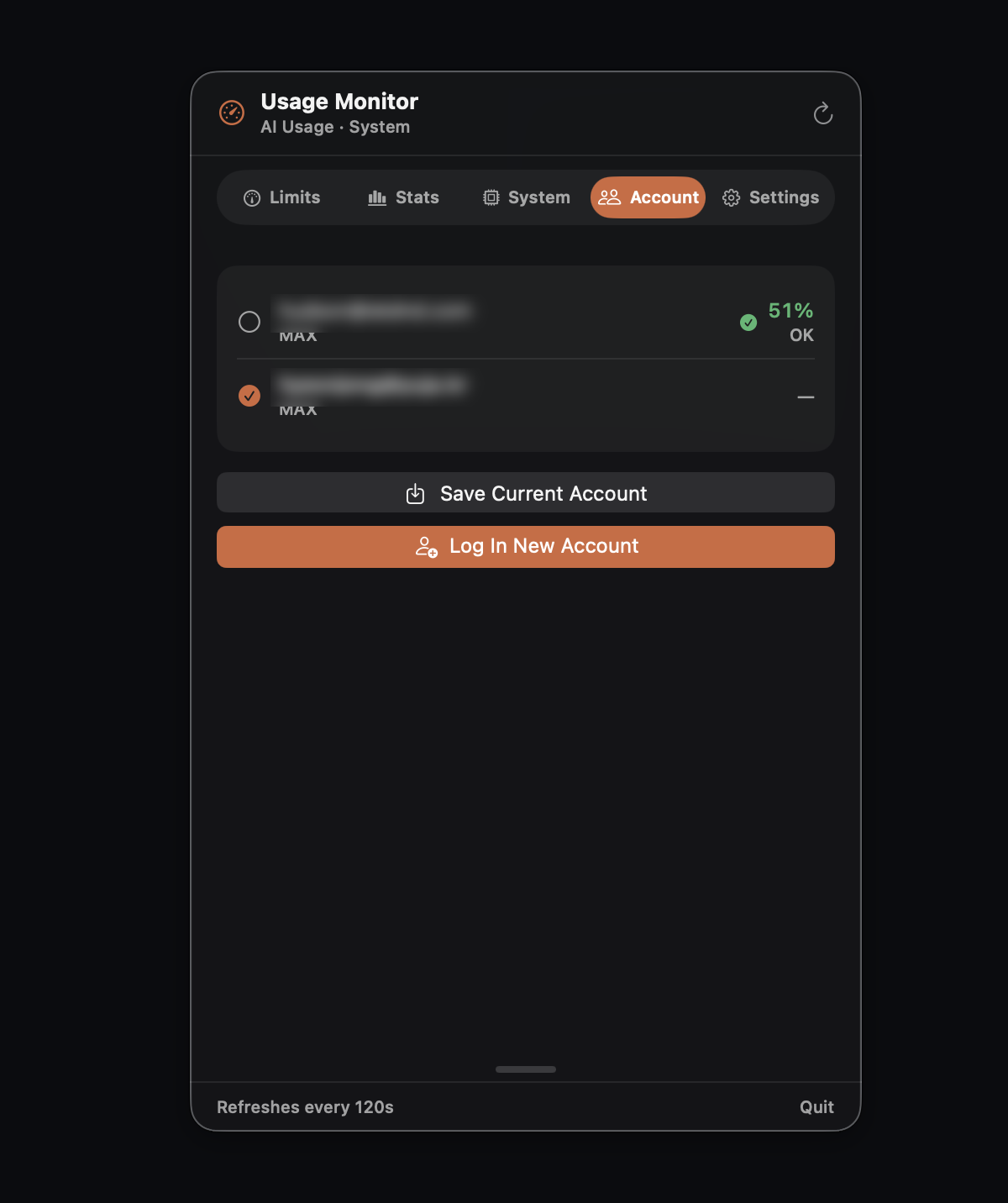
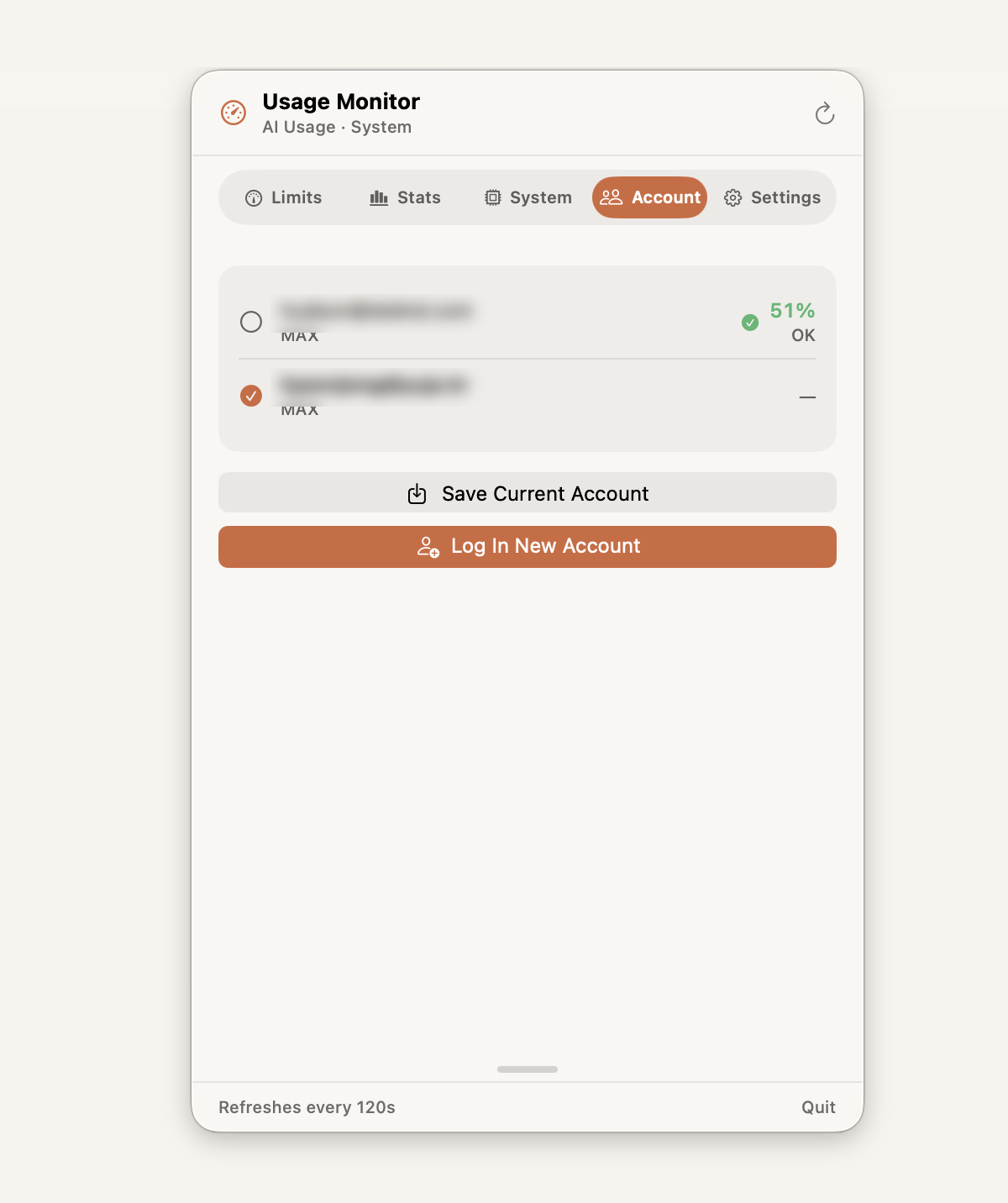
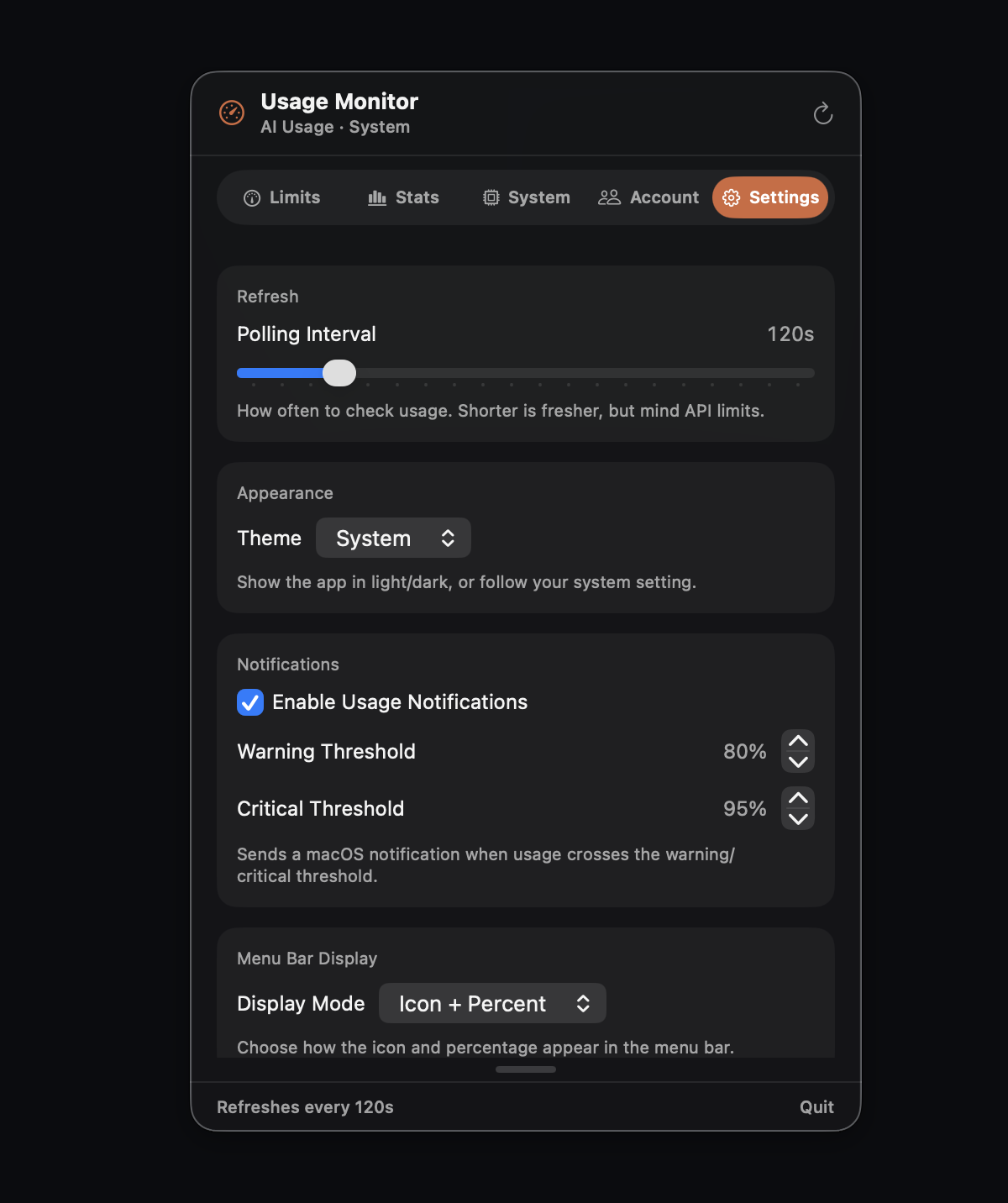
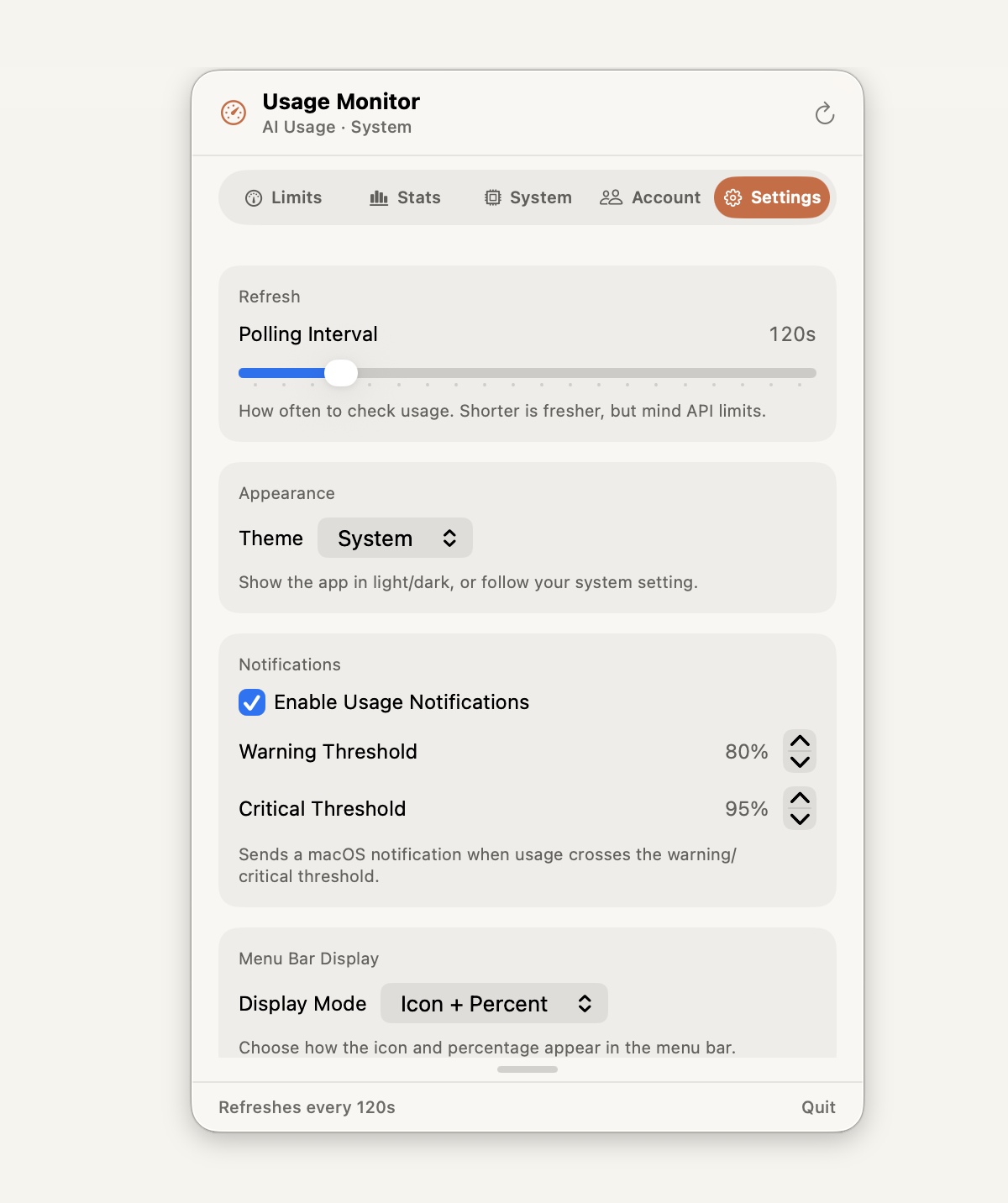
Juggling multiple Claude accounts? Switch in one click — easy. And safe: credentials never leave the macOS Keychain, moving atomically between it and your config — no re-login, no plaintext, no risk. (Settings — the 5th tab — holds theme, thresholds & polling.)

Low-memory resident <50MB Threshold alerts (native notifications) Launch at login 5 languages: EN/ZH/JA/KO/ES Tokens in Keychain only Apple notarized
Why Usage Monitor

Usage trackers stop at usage. This one keeps going.

Most menu bar trackers show a single percentage and call it a day. Usage Monitor adds what multi-account developers actually need — three things at once: one-click account switching when you hit a limit, real usage patterns instead of a bare number, and your system's health — all in the same dropdown.

Free menu bar tracker

Free
  • AI usage percentages
  • No system resource view
  • No one-click account switching
  • Tokens often left in a plaintext file

Usage Monitor

$7 one-time
  • Tokens stay in the macOS Keychain
  • One-click Claude account switching
  • Model breakdown, heatmap & token trends
  • Burn prediction & pace alerts
  • CPU / memory / process, integrated
See it in place

Native macOS, top to bottom.

Built with SwiftUI. No web view, no Electron — just a crisp menu bar dropdown that feels like part of the system.
Usage Monitor Limits tab — weekly remaining, current session, and all-models usage with reset times.Usage Monitor Limits tab (light) — weekly remaining, current session, and all-models usage.
Limits — weekly remaining, session & all-models burn
Usage Monitor Stats tab — model share, daily usage heatmap, and 14-day token history.Usage Monitor Stats tab (light) — model share, daily usage heatmap, and token history.
Stats — model breakdown, peak-hour heatmap, token trend
Usage Monitor System tab — CPU, memory, and top processes.Usage Monitor System tab (light) — CPU, memory, and top processes.
System — CPU, memory, top processes
Usage Monitor Accounts tab — one-click switching between saved accounts with per-account weekly usage.Usage Monitor Accounts tab (light) — one-click switching with per-account usage.
Accounts — one-click switching, per-account usage
Usage Monitor Settings tab — polling interval, light/dark theme, notification thresholds, and menu bar display.Usage Monitor Settings tab (light) — polling, theme, thresholds, and menu bar display.
Settings — theme, thresholds, polling & menu bar
Built to be trusted

No account, no server, no subscription.

We can't show you download counts we don't have. Here's what we can prove instead — every claim is verifiable.

Apple-notarized
Signed & notarized by Apple, so Gatekeeper trusts the build on first launch.
No server, Keychain-only
Your tokens never leave your Mac. Credentials live in the macOS Keychain — nothing is sent anywhere.
Under 50 MB, ~4 MB download
A native SwiftUI app — no Electron, no web view. Idles under 50 MB of memory.
Try free, then $7 once
A full day free with no card. Buy only if you like it — one payment, no subscription, and a 14-day refund if you change your mind.
Auto-updates via Sparkle
Install once and stay current — new versions arrive automatically through Sparkle, no manual downloads.
ONE-TIME
$7/ forever
About the price of two coffees — paid once. No subscription, ever.
  • All five tabs — Limits, Stats, System, Account, Settings
  • Burn prediction & threshold notifications
  • Unlimited account profiles
  • Launch at login · 5 languages · low memory
  • Apple-notarized build, auto-updates via Sparkle
  • Free updates within v1.x
Buy for $7
Start here · 24h free

Try the whole thing free for 24 hours.

Download and every feature is unlocked for a full day — no card, no sign-up. After 24 hours the app locks; a one-time $7 purchase unlocks it for good. No subscription, ever.

Start your free 24 hours

macOS 14.0 Sonoma or later · Apple Silicon & Intel · ~4 MB download

Questions

Good to know before you buy.

01 Do I need a Claude Code account?
Yes. Usage Monitor reads the usage and account information that your AI coding CLI already stores locally. It's a companion for your existing setup — it doesn't provide the AI service itself, and it never asks for your password.
02 Is this a subscription?
No. It's $7 once and it's yours for life, including free updates throughout the v1.x line. No recurring charges, no account required to run it.
03 Is my data safe?
Your tokens never leave your Mac. Credentials are read from and written to the macOS Keychain only — Usage Monitor has no server and sends none of your data anywhere. The app is Apple-notarized so Gatekeeper trusts the build.
04 What about refunds?
If it doesn't work for you, email us within 14 days of purchase and we'll refund it, no interrogation. We'd rather you be happy than hold $7.
05 Which macOS versions are supported?
macOS 14.0 Sonoma or later, on both Apple Silicon and Intel Macs. The download is a universal binary of about 4 MB and idles under 50 MB of memory.
06 How does account switching work?
Add each Claude account once in the Accounts tab. From then on, click the account you want and Usage Monitor swaps the active credentials in the Keychain and your CLI config atomically — no logout, no re-auth, no restart of Claude Code required.
07 How does the free trial work?
Download the app and every feature is unlocked for 24 hours — no card, no sign-up, nothing to cancel. After the 24-hour trial the app locks until you buy it. Pay the one-time $7 to keep using it — no subscription, and it's yours for good.

Stay in your terminal. Keep usage in sight.

Try every feature free for 24 hours — no card. If it earns its place in your menu bar, it's $7 once. That's it.